A multimedia website designed to make learning and navigation clear, accessible, and easy to understand.
From Draft to Design
Designing for Access: My Process and Growth
Explore how each page of the Resource Hub developed from initial ideas into a more accessible, structured, and user friendly experience. Through the intentional use of UDL principles, each design was refined to improve clarity, navigation, and overall usability for a wide range of learners.
Home Page Draft Design
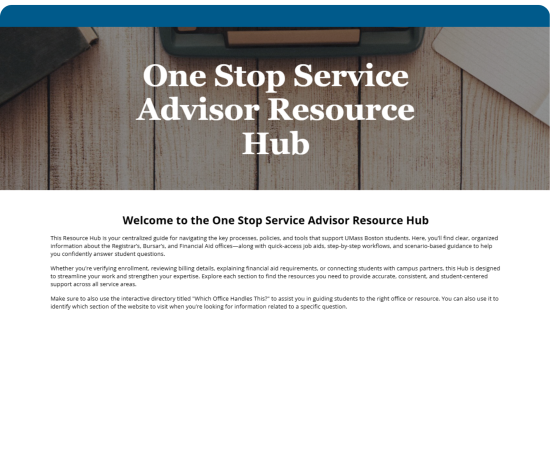
The initial design of the Resource Hub relied heavily on large blocks of text, which made it difficult to quickly understand and navigate. While the information was comprehensive, it was not structured in a way that supported a simple and intuitive user experience. Users were required to read through dense content to determine where to go next, increasing cognitive load and making navigation less efficient.
From a UDL perspective, this version lacked clear visual hierarchy, multiple means of representation, and perceptible navigation cues. There were limited visual supports to guide users, and no clear pathways to help them quickly identify key areas of the site. As a result, the design did not fully support accessibility, clarity, or flexible engagement for a wide range of learners.
Select Image to Navigate to Website
Home Page Final Design
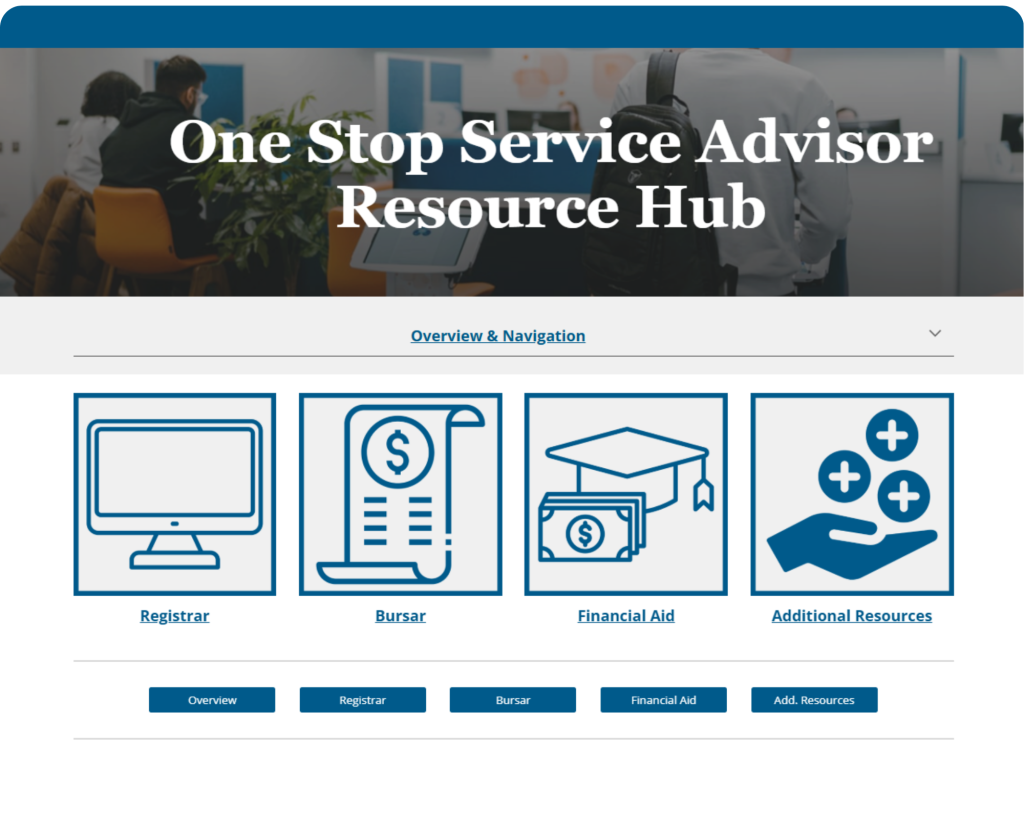
The redesigned homepage was intentionally structured to align with UDL principles by creating a more simple and intuitive navigation experience. The updated layout replaces text-heavy content with four clearly defined icon-based tabs, each paired with a visual image and descriptive label.
These tabs guide users directly to the three primary offices central to their role, along with an additional section for supplemental resources and training materials. This design introduces clear visual hierarchy and multiple ways to access information, allowing users to quickly recognize and navigate to the appropriate section without relying on extensive reading.
By incorporating visual cues, consistent structure, and clearly labeled navigation options, the redesign reduces cognitive load and improves perceptibility. The addition of buttons and organized pathways further supports user control and flexibility in how information is accessed.
Overall, this version reflects UDL principles by providing a more accessible, user-friendly experience that supports clarity, efficiency, and confidence in navigation.
Overview & Navigation Page
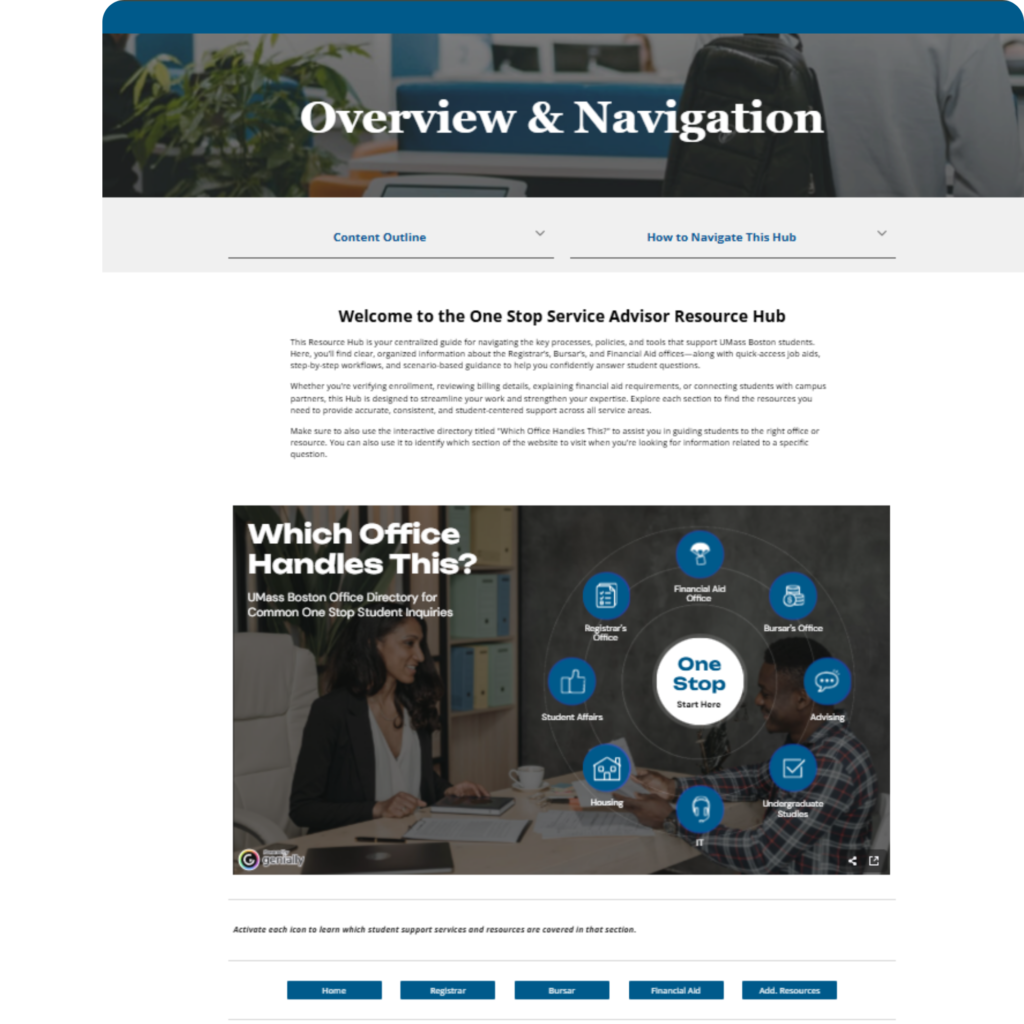
This page was designed as an optional reference point to support users who may need additional guidance navigating the Resource Hub or understanding how information is organized across the institution. It provides a clear overview of key functions and helps users identify which office or department specific information falls under.
This is especially valuable for onboarding staff who may not yet be familiar with the roles of the three primary offices, as well as the broader structure of institutional departments.
The page also includes an interactive infographic that allows users to explore information in a more flexible and engaging way. By presenting content in layers and offering multiple access points, the design helps reduce cognitive overload while supporting a more intuitive and user-friendly learning experience.
Select Image to Navigate to Website
Registrar Page Draft Design
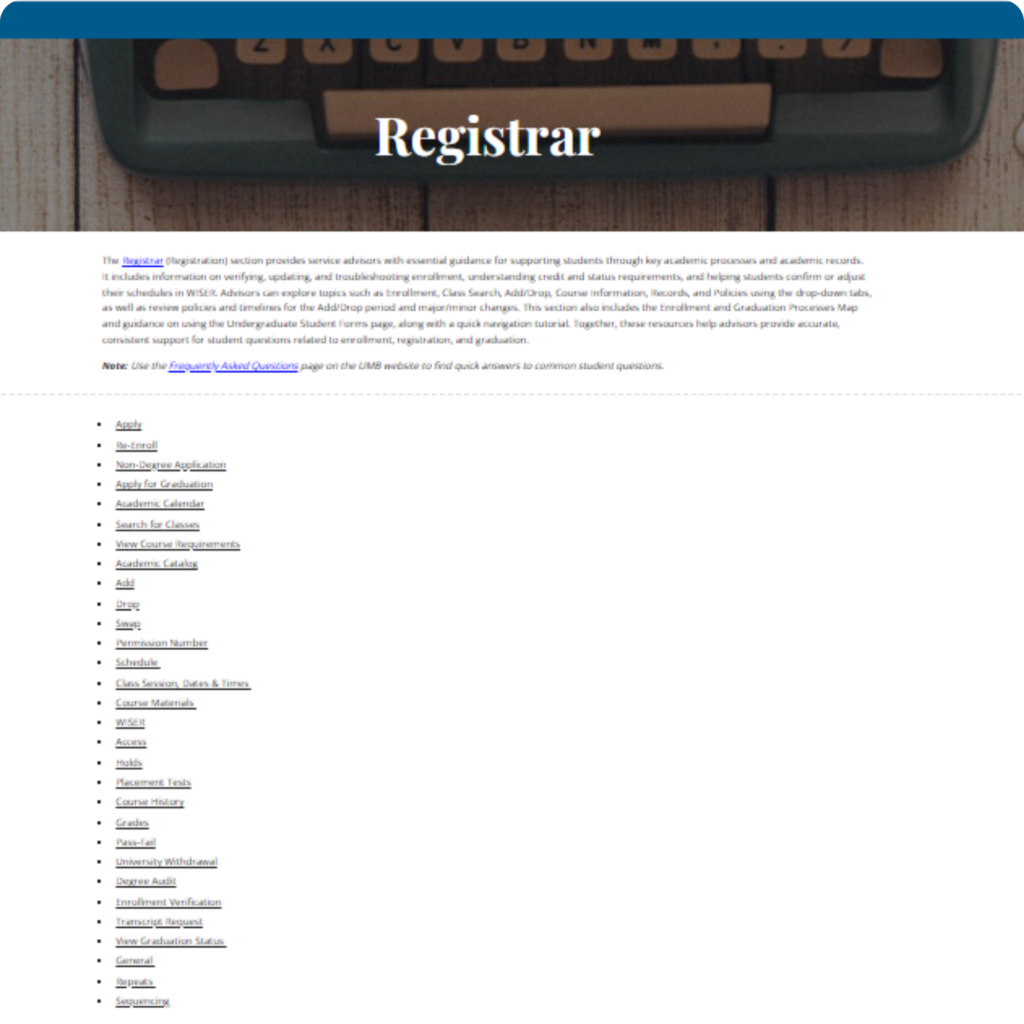
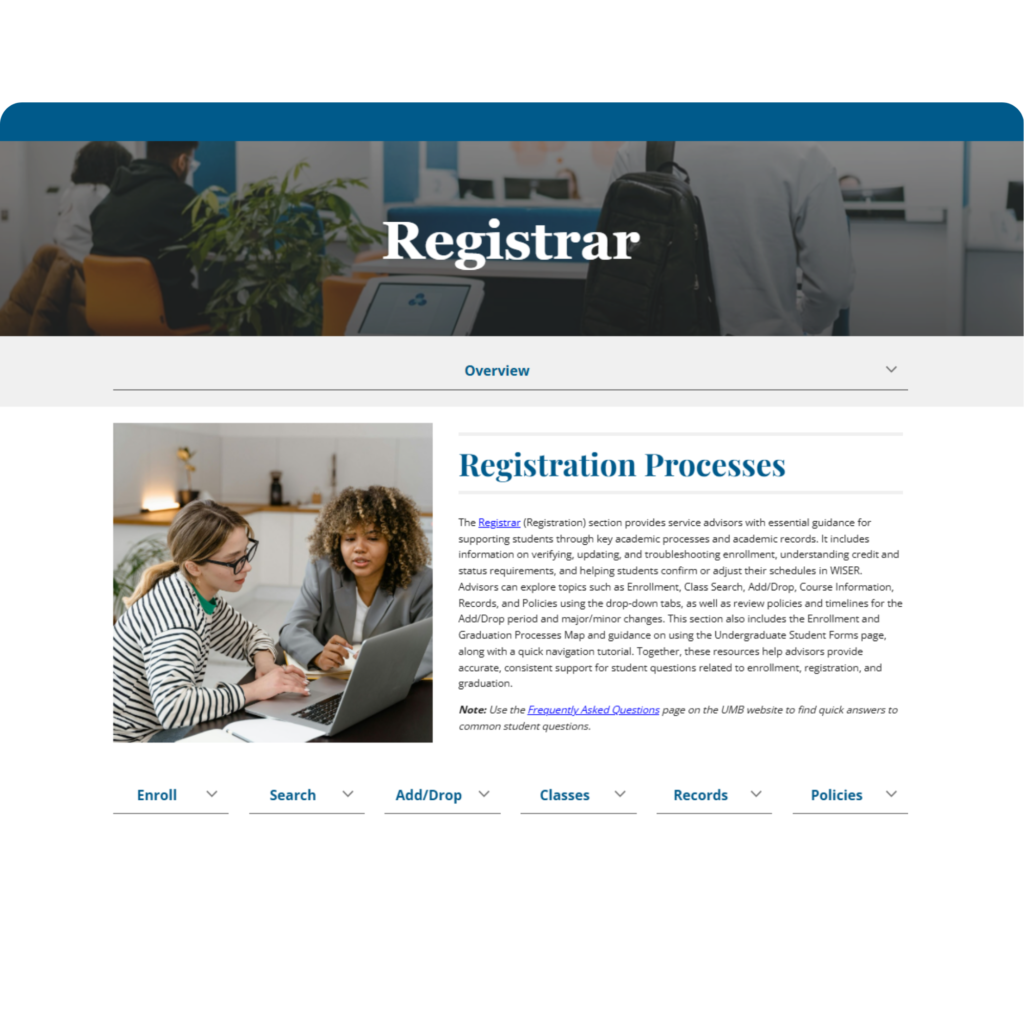
The original Registrar page consisted primarily of written content and a list of links to various resources. While the information was available, it was not organized in a way that supported quick navigation or easy understanding, requiring users to search through content to find what they needed.
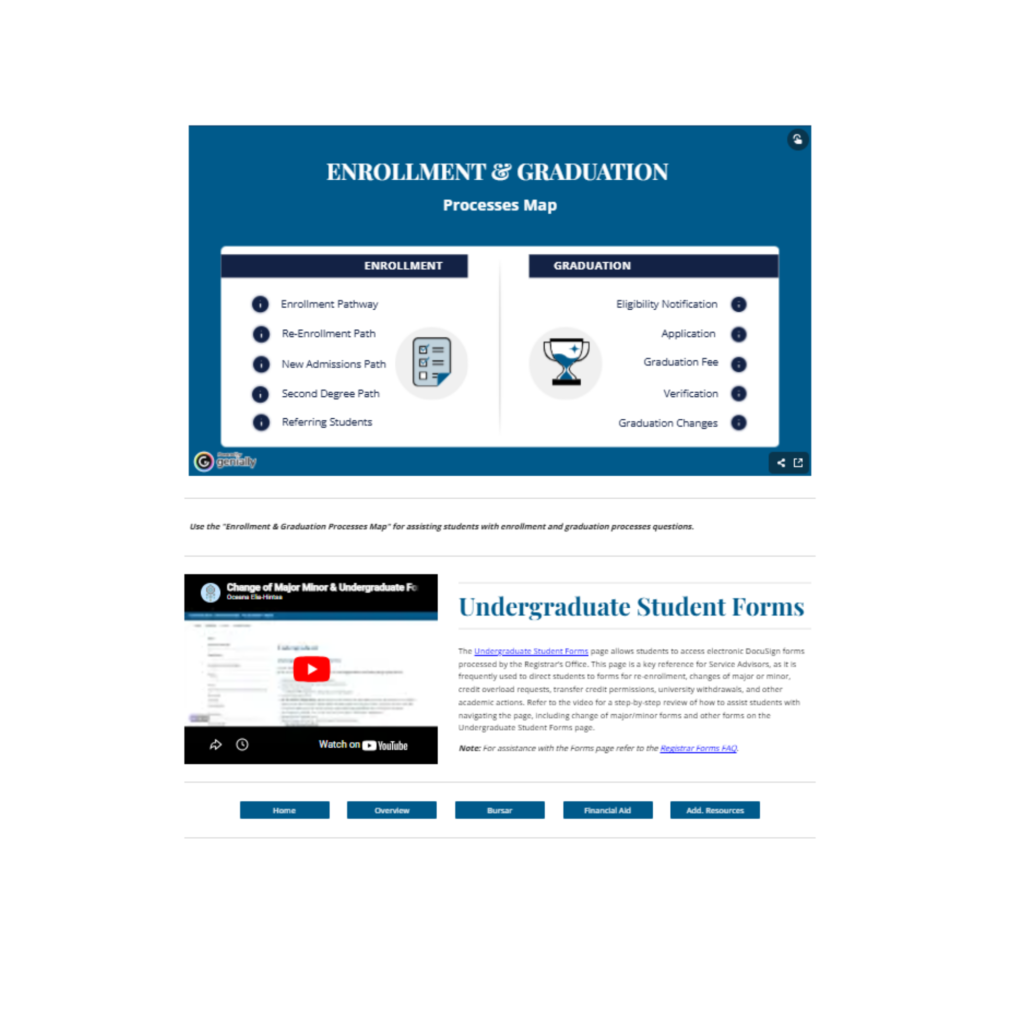
The redesigned Registrar page organizes resources into clear categories, making navigation more intuitive and efficient. An interactive infographic is used to condense complex information related to enrollment and graduation into a more visual and accessible format. The page also includes a screencast video tutorial that guides users through key processes and forms managed by the Registrar’s Office, helping them better support and refer students.
This updated design aligns with UDL principles by reducing cognitive load, improving clarity, and providing multiple ways for users to access and understand information.
Registrar Page Final Design
Select Image to Navigate to Website
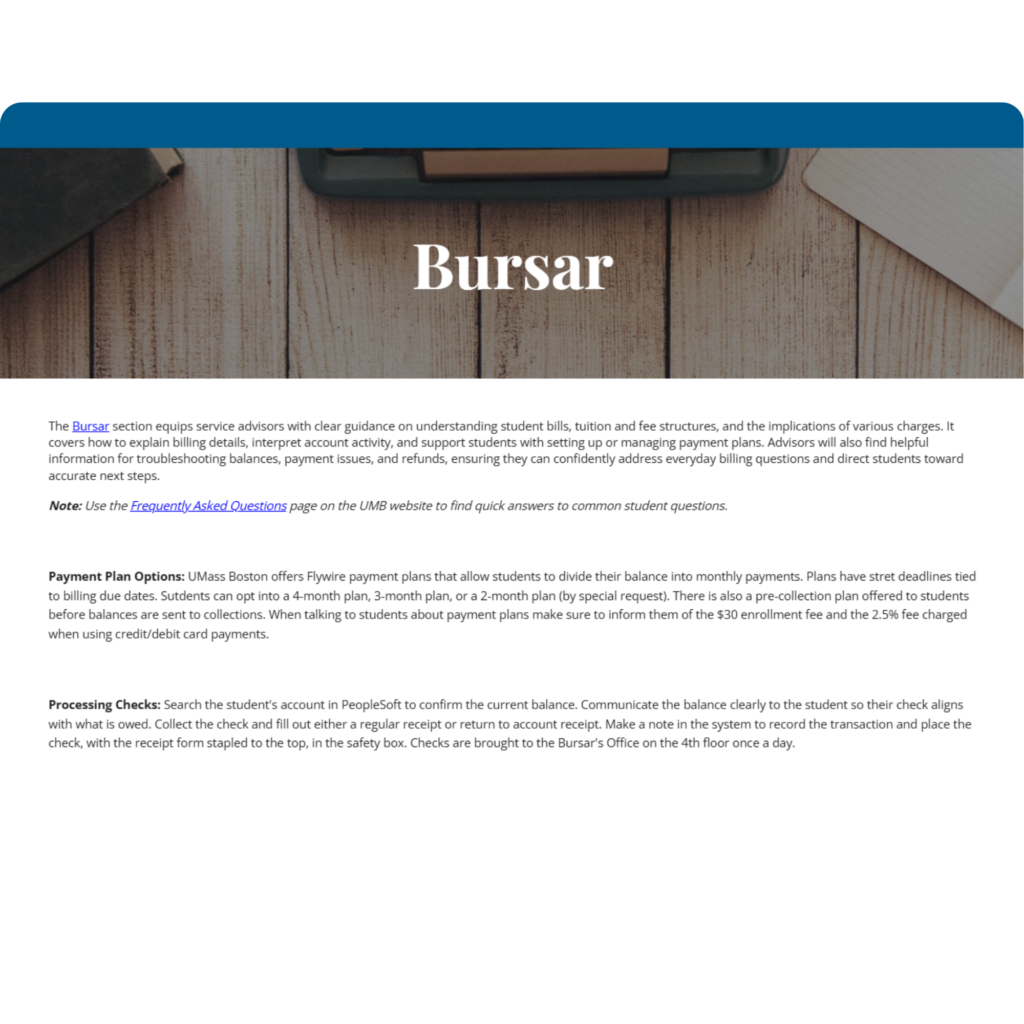
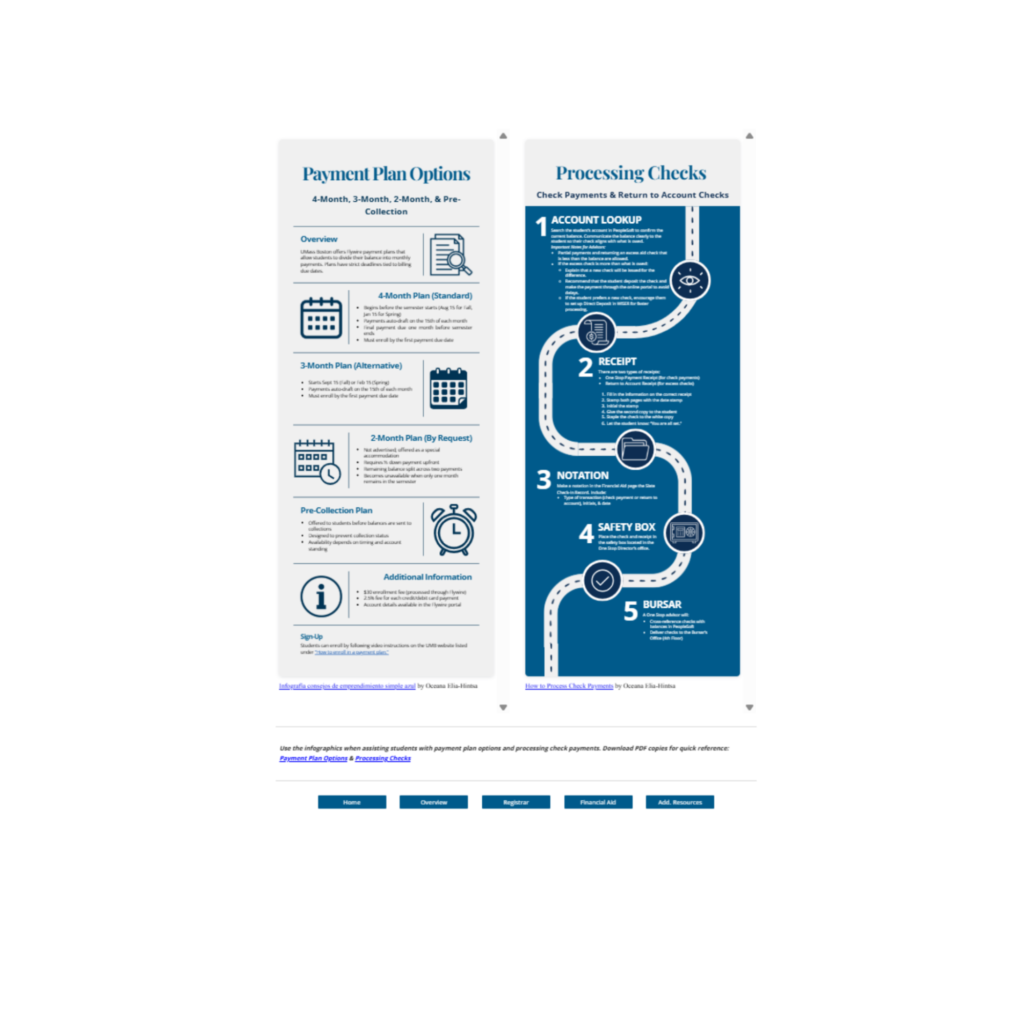
The initial draft of the Bursar page presented information in paragraph format, which made it difficult to quickly scan and locate key details.
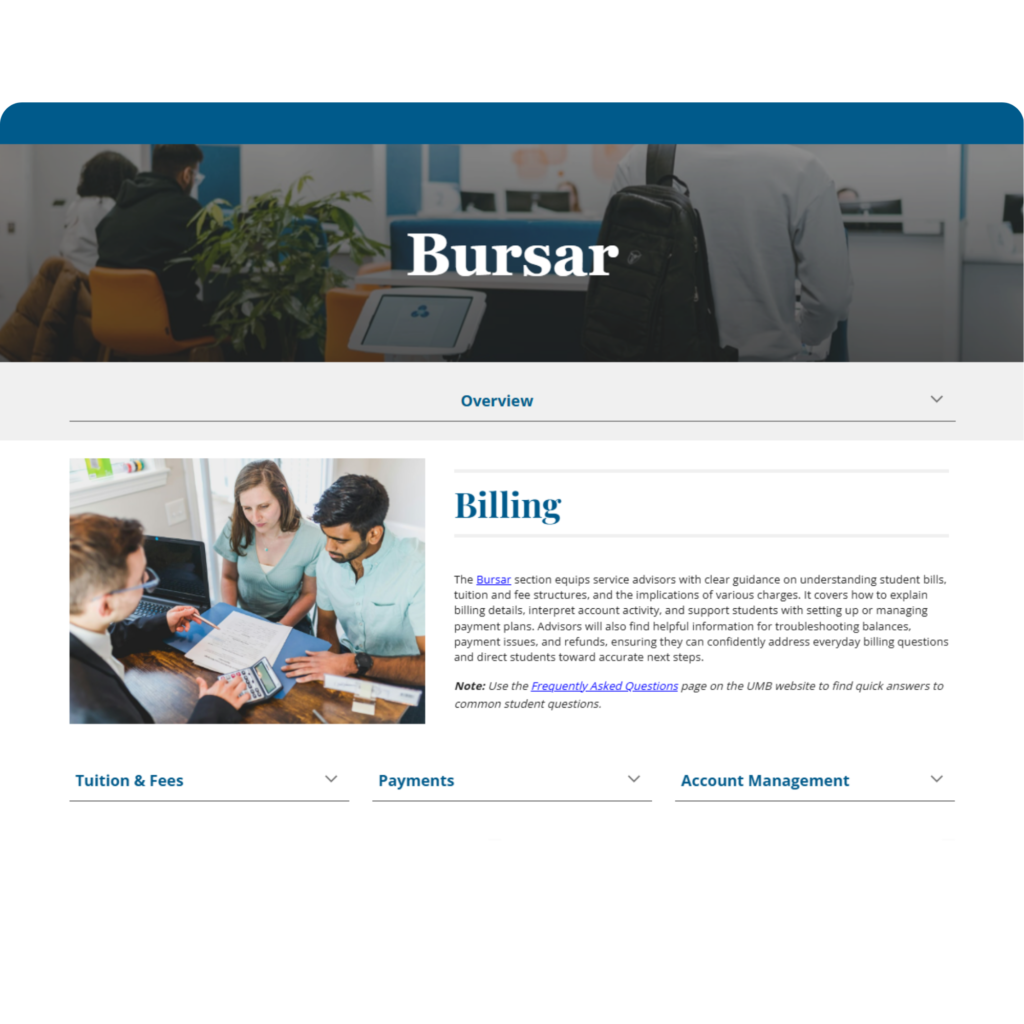
The final design reorganizes this content into structured dropdown menus, allowing users to access information in manageable sections. Two infographics were also introduced to support key processes. These visuals not only simplify complex information, but can also be used as standalone print resources for staff to reference when working with students.
The inclusion of visual aids and icons supports retention and quick recall, while also providing multiple ways to engage with the content. Additionally, these materials can be converted into alternative formats, such as audio, to support users with visual impairments and enhance accessibility for all learners.
This redesign aligns with UDL principles by improving clarity, reducing cognitive load, and offering flexible ways to access and understand information.
Bursar Page Draft Design
Select Image to Navigate to Website
Bursar Page Final Design
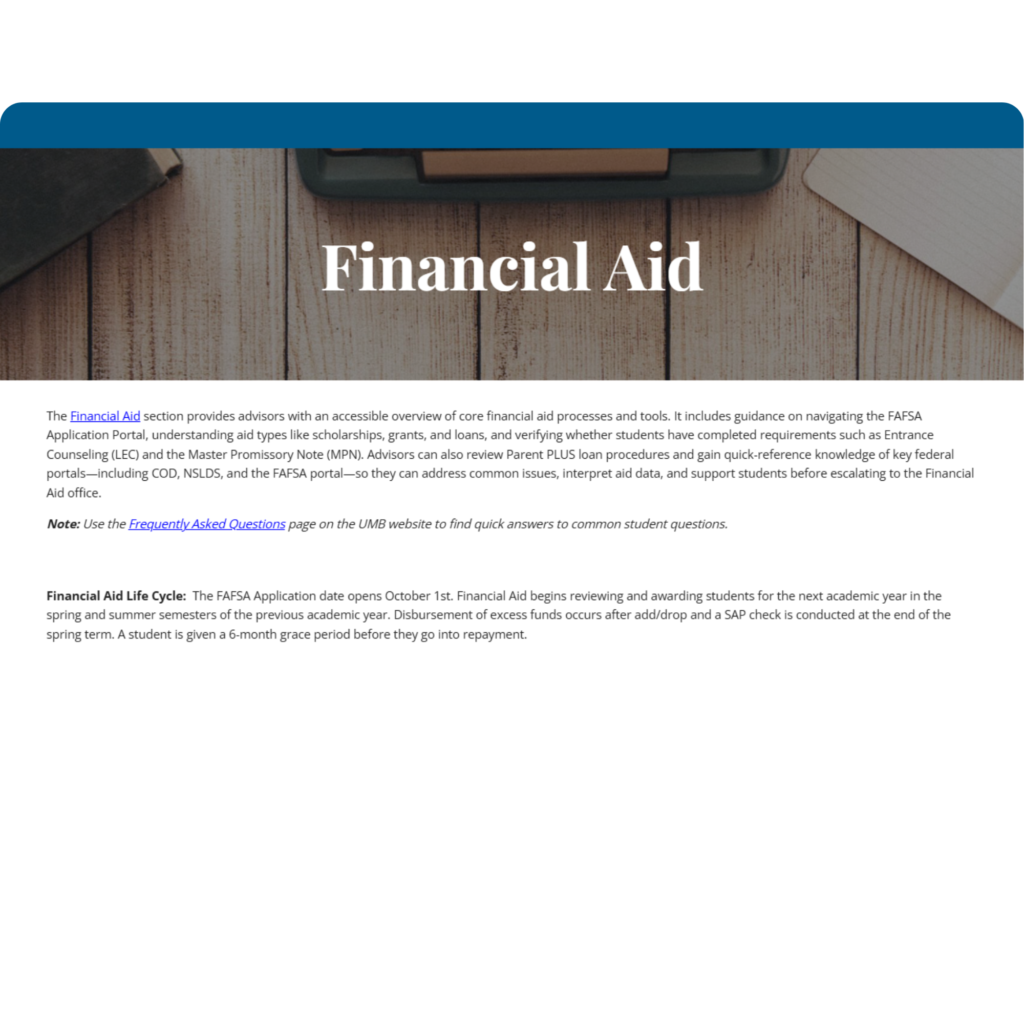
The initial draft of the Financial Aid page consisted primarily of written text. Given the complexity of financial aid processes, policies, and regulations, this made the content difficult to navigate and understand, especially for new staff.
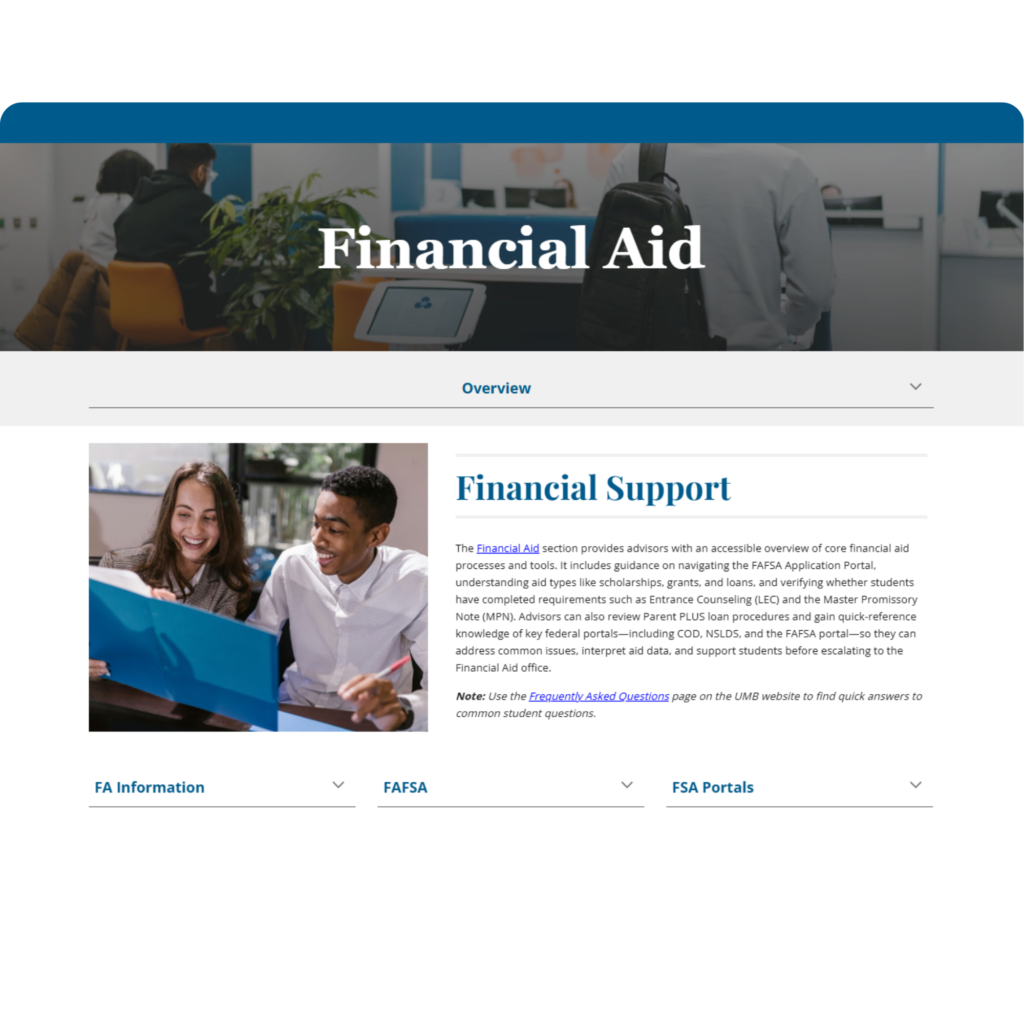
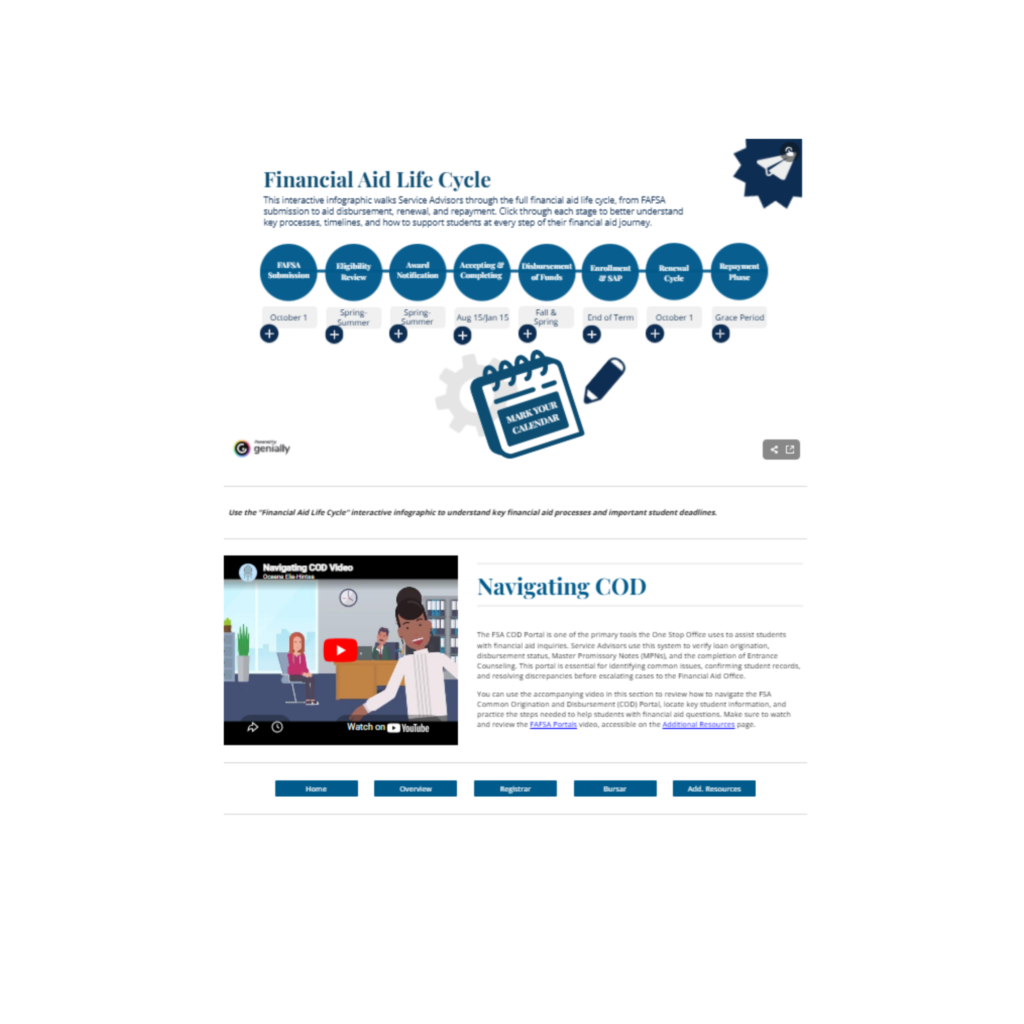
The redesigned page focuses on breaking down dense information into more manageable and accessible formats. Dropdown menus are used to organize key resources and links, allowing users to access information in smaller, more structured sections. An interactive lifecycle timeline infographic was also created to help both new and current staff understand the financial aid process from start to finish.
Additionally, the page includes guidance on navigating a key financial aid portal used to answer common questions. Building familiarity with this tool supports more efficient problem solving and helps reduce unnecessary escalations to the Financial Aid Office, improving workflow and reducing potential friction across departments.
This redesign aligns with UDL principles by simplifying complex information, reducing cognitive load, and providing multiple ways for users to access and understand critical processes.
Financial Aid Draft Page
Financial Aid Page Final Design
Select Image to Navigate to Website
Select Image to Navigate to Website
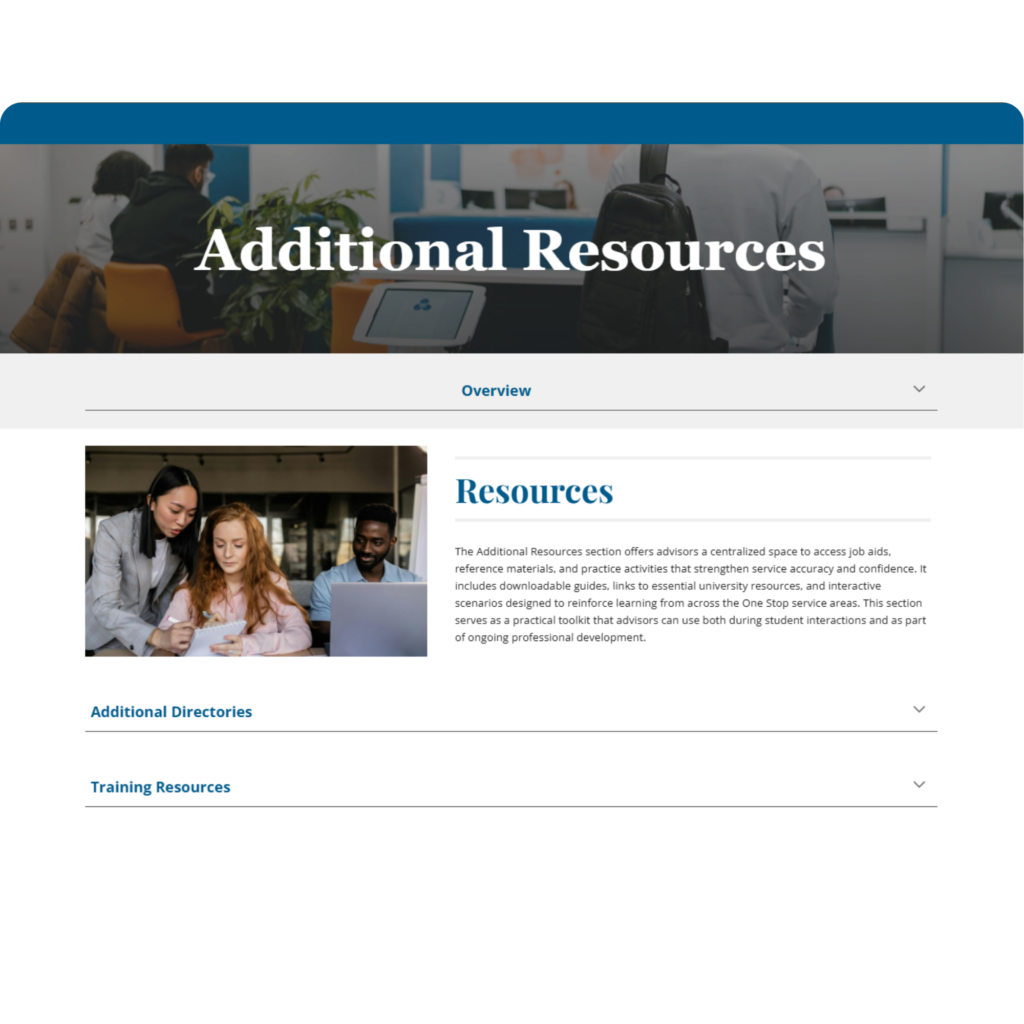
Additional Resources Page
The Additional Resources page was designed to provide quick access to tools and supports beyond the three primary offices. It serves as a central space where users can find supplemental resources and engage in ongoing learning during downtime.
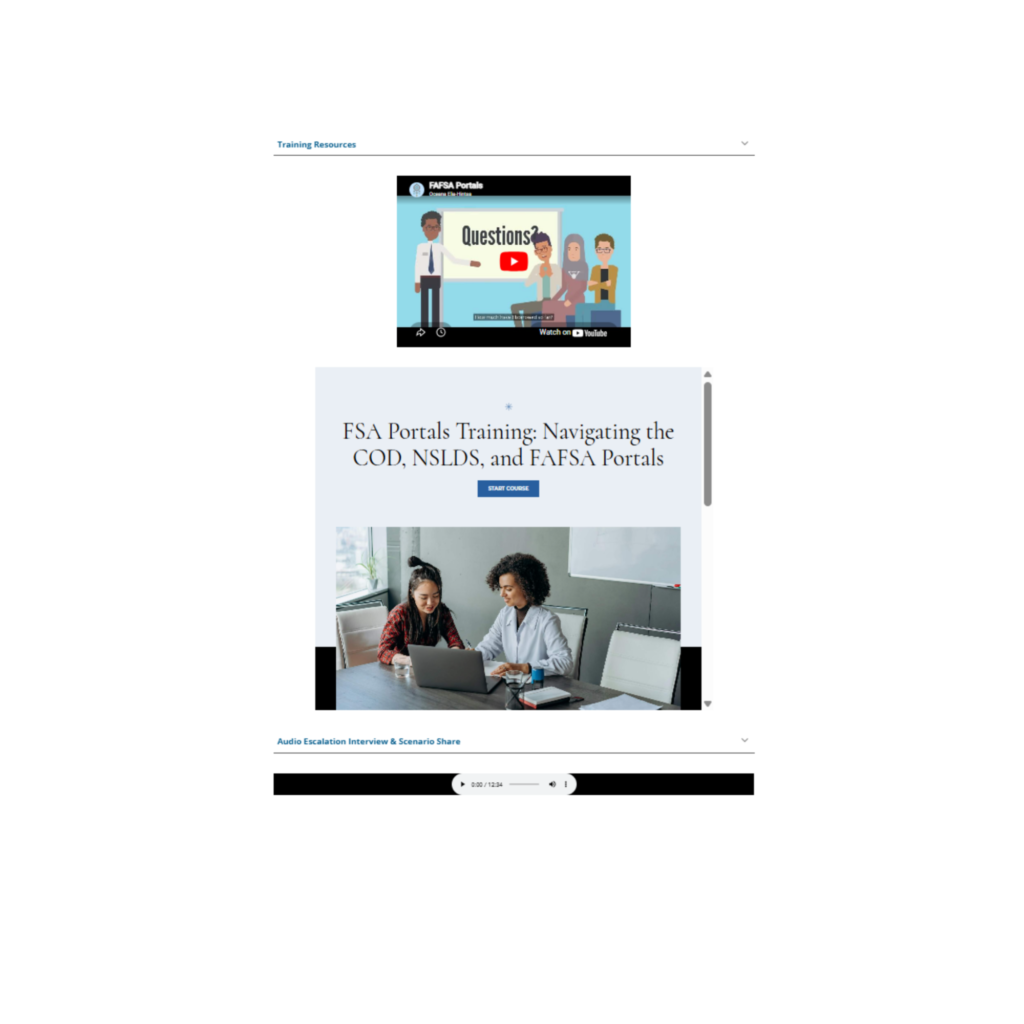
This page includes a variety of training formats to support different learning preferences. Animated video explanations are used to make complex topics more engaging and approachable, helping to create a more relaxed and supportive learning experience. An eLearning course is also included to provide a more structured and in-depth understanding of financial aid portals and their functions. These resources are especially helpful, as federal student aid trainings can often feel dense and intimidating. This introductory training allows users to build foundational knowledge before engaging with more complex materials.
An audio interview is included to review escalation best practices, offering an alternative format for understanding the relational aspects of working across offices, particularly with Financial Aid. This format allows users to engage with the content flexibly, such as while commuting or during downtime.
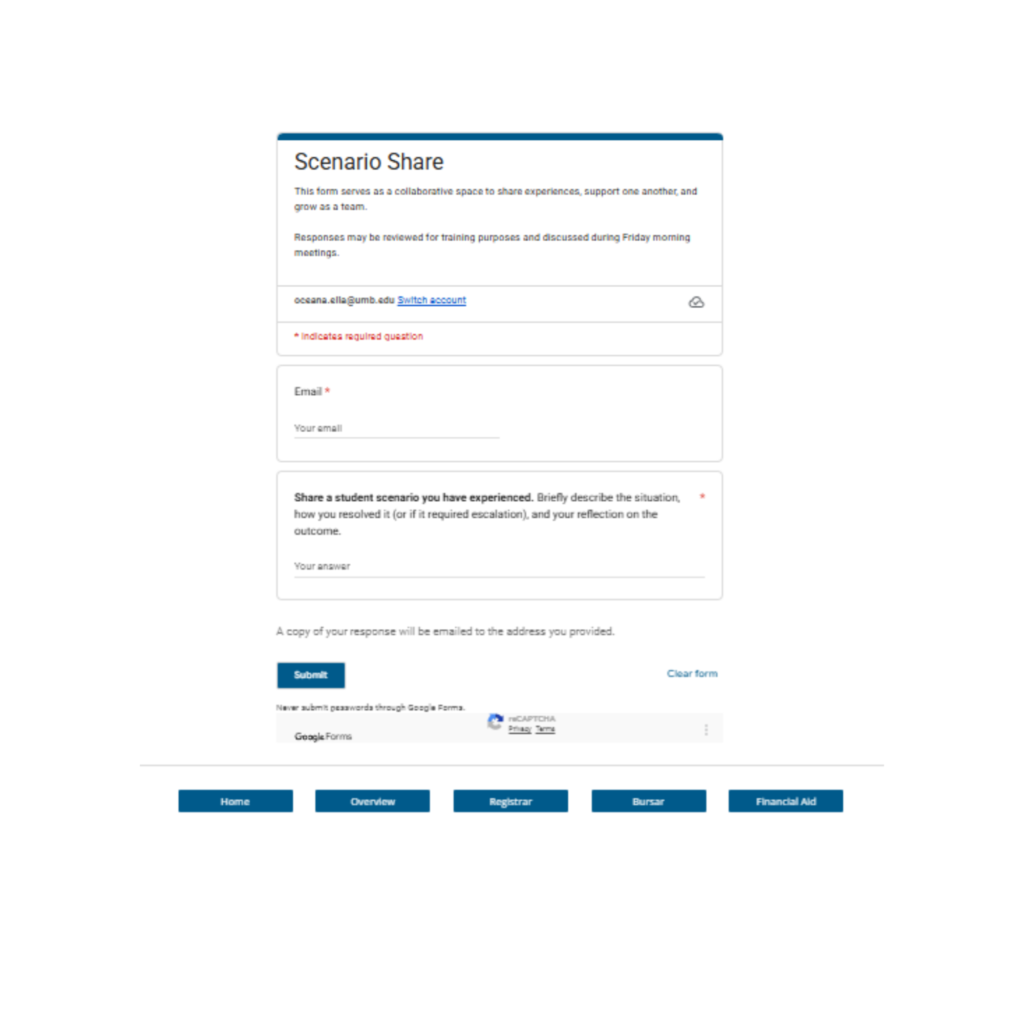
The page also features a scenario share form, which encourages users to contribute their own experiences. This supports collaboration, reflection, and ongoing learning within the team.
Overall, this page aligns with UDL principles by providing multiple ways to access content, supporting engagement, and creating flexible opportunities for learning beyond immediate job tasks.